Towers, all-in-ones and workstations — power failures, storage, memory, graphics, cooling and the upgrades that keep a good machine in service for years longer.
Desktops fail predictably, which is why so many of them are worth repairing rather than replacing.
No power at all
Nothing on the button, or a brief flicker and silence. Usually the power supply — the single most common desktop failure, and one of the cheapest and quickest to put right.
Powers on, no display
Fans and lights but a black screen. Memory, graphics card or the monitor connection, and each is ruled out in minutes with the right spare parts on hand.
Drive failure or disk errors
Errors on boot, clicking, or a system that suddenly cannot find Windows. Older towers still running a mechanical drive are the usual candidates, and an SSD is both the repair and the upgrade.
Constant fan noise or shutdowns
A tower is a dust trap. Blocked filters and heat sinks push temperatures up until the machine throttles or shuts down under load — solved with a proper clean and fresh thermal paste.
Random restarts under load
Fine when browsing, restarts when rendering, gaming or running anything demanding. A power supply that no longer delivers its rating, or memory that only fails when it is hot.
Slow after years of service
Boots take minutes, everything lags. On a desktop this is rarely terminal — storage, memory and a clean operating system usually restore it to something close to new.
Scope
What We Repair and Upgrade
Everything inside the case, plus what plugs into it.
Power supply replacementSSD & hard drive upgradesMemory (RAM) upgradesGraphics card faultsCooling & dust serviceMotherboard diagnosisAll-in-one repairWindows reinstall & recovery
Hardware & Performance
Where a Desktop's Performance Actually Goes
Four components decide how a desktop feels. Only one of them is the processor, and it is almost never the problem.
The single biggest change to an ageing tower is moving the operating system from a mechanical hard drive to an SSD. Boot times fall from minutes to seconds and the machine stops stalling every time something reads from disk — for a fraction of the price of replacing it.
Memory is next: a machine with too little spends its life swapping to disk. After that comes heat, because a throttled processor performs like a much older one. We test all four before recommending anything, and we will say plainly when a tower has reached the end of the line.
Usually repair. Desktops use standard parts, so a power supply, drive or memory replacement costs far less than a new machine — and the rest of the tower typically has years left. We give you the comparison before you decide.
Will an SSD really make that much difference?
On a machine still booting from a mechanical hard drive, it is the single largest improvement available. Boot and load times drop dramatically, and the machine stops freezing whenever something reads from disk.
Can you upgrade my existing PC rather than replace it?
Yes — storage, memory, graphics, power supply and cooling. We check what the motherboard and power supply will actually support first, so nothing is bought that the machine cannot use.
Do you repair all-in-one computers?
Yes. All-in-ones are more constrained than towers — the panel and internals share one enclosure — so we confirm what can be replaced on your specific model before quoting.
My PC is very dusty. Does that matter?
It matters a lot. Dust insulates the heat sinks and forces fans to run constantly, which shortens the life of every component in the case. A proper internal clean and fresh thermal paste is inexpensive preventative work.
Can you build a desktop to a specification?
We advise on and configure hardware for a stated workload rather than selling a fixed build. Tell us what the machine is for and the budget, and we will tell you where the money is best spent.
Service Areas
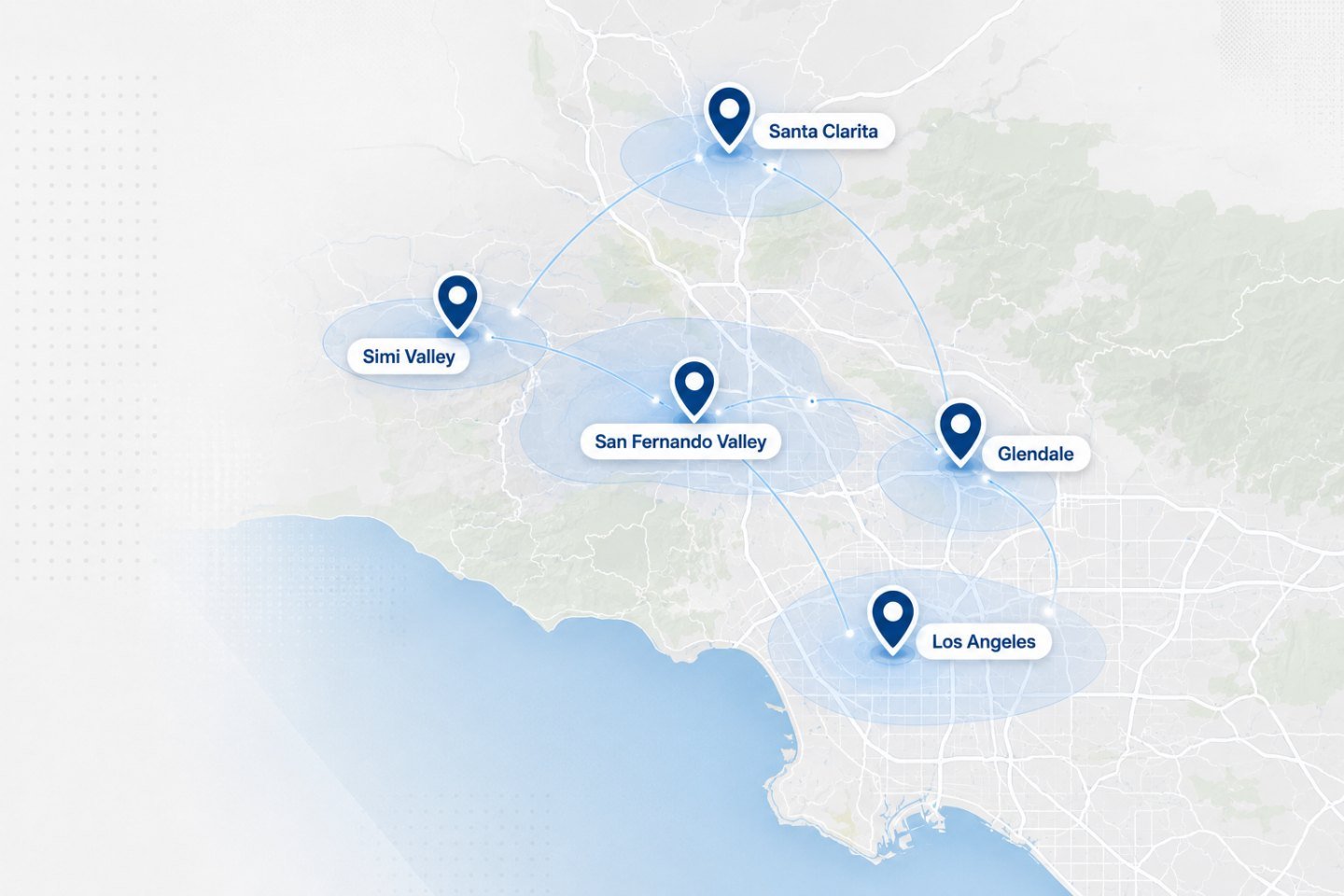
On-Site Service Across Los Angeles, Glendale & the San Fernando Valley
We travel to homes and offices across the Los Angeles area. If your address is nearby but not listed, ask when you get in touch.