
Same-Day & On-Site Appointments Available • Residential & Commercial
MacBook, iMac, Mac mini and Mac Studio — startup failures, storage, batteries, macOS problems and migration to a new machine, handled at your home or office.
Macs fail less often and differently. These are the ones we are called out for.
A progress bar that stalls, a boot loop, or a folder with a question mark. Usually a failed update, a corrupt system volume or storage that is no longer readable — and recoverable far more often than people expect.
Warnings you cannot clear, applications refusing to open, saves that fail. On modern Macs the storage is soldered, so this is about reclaiming space and getting your data somewhere safe — not swapping a drive.
Service Recommended warnings, shutdowns well above zero percent, or a MacBook that will not charge on a known-good cable. Battery health is measurable, so this is one of the few faults we can confirm before arriving.
A Mac that spins up doing nothing. Runaway background processes, an indexing loop, or thermal paste and dust on older Intel models. We find which before touching hardware.
Networks that will not join after an update, printers that vanish, external displays not detected. Almost always configuration rather than hardware, and usually resolved in one visit.
Updates that will not install, an Apple Account you cannot get into, a Mac locked to a previous owner. We work through it properly rather than wiping the machine as a first resort.
Software, storage, data and the hardware work that Apple machines still allow.
Apple hardware sets real limits. We would rather tell you before the visit than after.
On Apple silicon Macs the storage and memory are part of the main board, so they cannot be upgraded or swapped after purchase. What can be done is recovery, rescue and migration — getting the machine bootable, getting your data off it safely, and setting the next one up properly.
Batteries, fans, keyboards and thermal service remain serviceable on most models, and on older Intel Macs storage and memory upgrades are often still possible. Where a job genuinely needs Apple — a board fault under warranty, for instance — we tell you that instead of taking the money.
Data comes off before anything is reinstalled — that step is not optional on a Mac.
What it does, when it started and what changed just before. Half of a diagnosis happens on the phone.
A technician tests the machine at your address and finds the actual cause — not the first plausible one.
Repair, upgrade or replace, priced in plain language. Nothing is opened or ordered before you agree.
Where the drive is healthy enough, your files are copied off before any reinstall or hardware change.
Parts fitted, software rebuilt, settings restored. Most jobs finish in the first visit.
We run it, show you it working and tell you what to watch for. Follow-up support if it recurs.
Mac work in a mixed-platform household or office, without a trip to a mall appointment.
Different machine, different failure pattern.
Upgrades, batteries, data and what Apple hardware allows.
Describe the problem and we will tell you what it takes to fix it — before any work starts.
On Apple silicon Macs, no — both are part of the main board and fixed at purchase. On older Intel MacBooks, iMacs and Mac minis it is often still possible, and we confirm from your exact model before quoting.
The battery has fallen below Apple's health threshold. It will still work, usually with reduced runtime and occasional early shutdowns. Replacement is straightforward on most models and we can confirm the battery's cycle count before arriving.
Usually not. A Mac that will not boot most often has a software or system-volume problem, and the data underneath is intact. We attempt a safe recovery of your files before any reinstall, and treat it as a data recovery job if the storage itself has failed.
Yes. Files, applications, accounts, mail and settings migrated from the old machine or a backup, then checked with you before the old Mac is wiped or traded in.
Yes. The approach differs — Intel machines allow more hardware work, Apple silicon machines need more emphasis on recovery and migration — but both are supported.
Yes, and we will say so. A machine under warranty or AppleCare with a board-level fault belongs with Apple. We are the better option for everything around it: diagnosis, data, migration, macOS problems and setup.
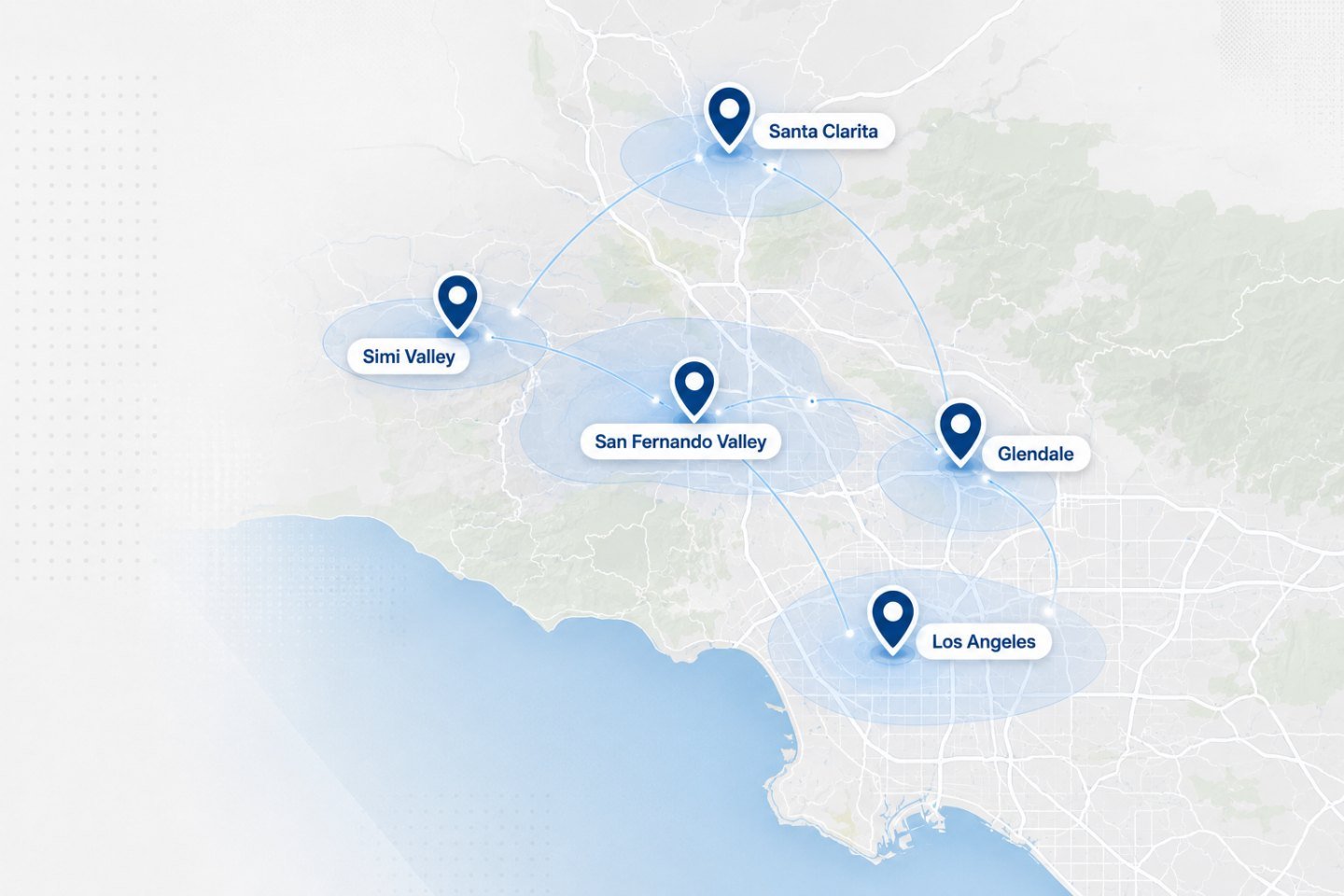
We travel to homes and offices across the Los Angeles area. If your address is nearby but not listed, ask when you get in touch.
Tell us the model and what it is doing. Battery health and startup faults can often be assessed before the visit.